Building Applications
Overview
This chapter provides an overview of the individual steps involved in creating a Structr application.
Basics
First things first - there are some things you need to know before you start.
Admin User Interface
Only administrators can use the Structr Admin User Interface. Regular users cannot log in, and attempting to do so produces the error message User has no backend access. That means every Structr application with a user interface needs a Login page to allow non-admin users to use it. There is no built-in login option for non-admin users.
Access Levels
Access to every object in Structr must be explicitly granted - this also applies to pages and their elements. There are different access levels that play a role in application development.
- Administrators (indicated by
isAdmin = true) have unrestricted access to all database data and REST endpoints. - Each object has two visibility flags that can be set separately.
visibleToPublicUsers = trueallows the object to be read without authentication (read-only)visibleToAuthenticatedUsers = truemakes the object accessible for authenticated users (read-only)
- Each object has an ownership relationship to the user that created it.
- Each object can have one or more security relationships that control access for individual users or groups.
- Access rights for all objects of a specific type can be configured separately for individual groups in the schema.
Access Control
- The data model may only be changed by administrators, as it is a security-critical component.
- Access to pages and templates is usually controlled by visibility flags or, in rarer cases, by group membership.
- Access to files in the file system is usually controlled by visibility flags or by ownership.
Define the Data Model
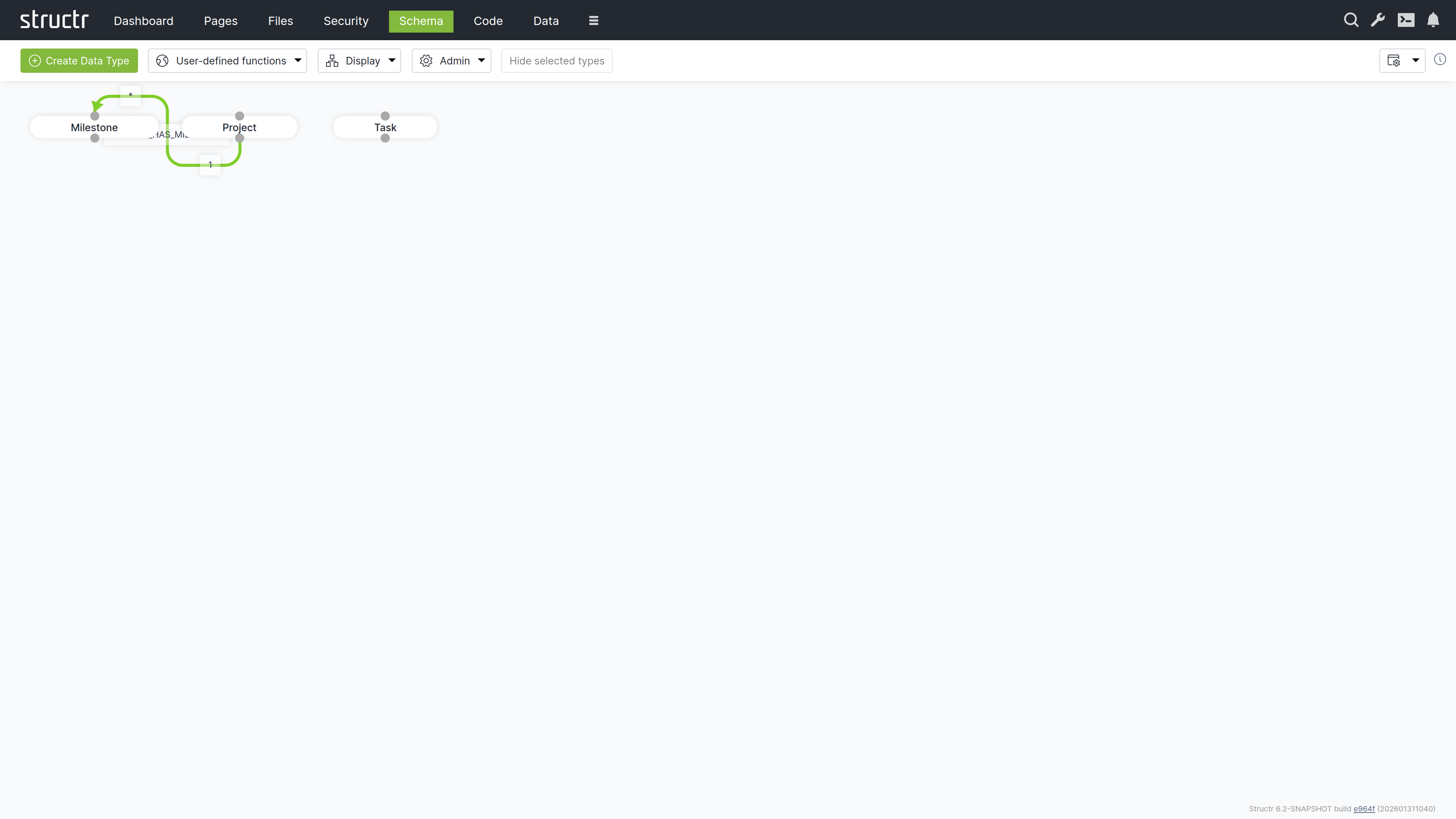
Defining the data model is usually the first step in developing a Structr application. The data model controls how data is stored in the database, which fields are present in the REST endpoints and much more. It contains all information about the data types (or classes), their properties and how the objects are related, as well as their methods.
Types
The data model consists of data types that can have relationships between them. Types can have attributes to store your data, and methods to implement business logic.
Data Modeling
If you are unsure how best to design your data model, the chapter on the Data Model provides a short introduction to this topic.
Relationships
When you define a relationship between two types, it serves as a blueprint for the structures created in the database. Each type automatically receives a special attribute that manages the connections between instances of these types.
Attributes
Data types and relationships can be extended with custom attributes and constraints. Structr ensures that structural and value-based schema constraints are never violated, guaranteeing consistency and compliance with the rules defined in your schema.
For example, you can define a uniqueness constraint on a specific attribute of a type so that there can only be one object with the same attribute value in the database, or you can require that a specific attribute cannot be null.
Where To Go From Here?
There are currently two different areas in the Structr Admin User Interface where the data model can be edited: Schema and Code. The Schema area contains the visual schema editor, which can be used to manage types and relationships, while the Code area is more for developing business logic. In both areas, new types can be created and existing types can be edited.
Read more about data modeling.
Create or Import Data
If you are building an application to work with existing data, there are several ways to bring that data into the system.
Create Data Manually
You can create data in any scripting context using the built-in create() function, in the Admin Console, via REST and in the Data area.
Using the Create Function
This JavaScript example assumes that you already have a data model with Project and Task linked together. You could put this code into a user-defined function or a method on the Project type.
{
    let project = $.create('Project', { name: 'My first project' });

    $.create('Task', { name: 'A task', project: project });
}
CSV
You can import CSV data in two different ways:
- Using the CSV Import Wizard in the Files Section. This is the preferred option, although it is somewhat difficult to find. To use it, you first have to upload a CSV file to Structr. An icon will then appear in the context menu of this file, which you can use to open the import wizard.
- Using the Simple Import Dialog in the Data Section. This importer is limited to a single type and can only process inputs of up to 100,000 characters, but it is a good option for getting started.
XML
The XML import works in the same way as the file-based CSV import. First, you need to upload an XML file, then you can access the XML Import Wizard in the context menu for this file in the Files area.
JSON
If your data is in JSON format, you can easily import individual objects or even larger amounts of data via the REST interface by using the endpoints automatically created by Structr for the individual data types in your data model.
Read more about Creating & Importing Data.
Create the User Interface
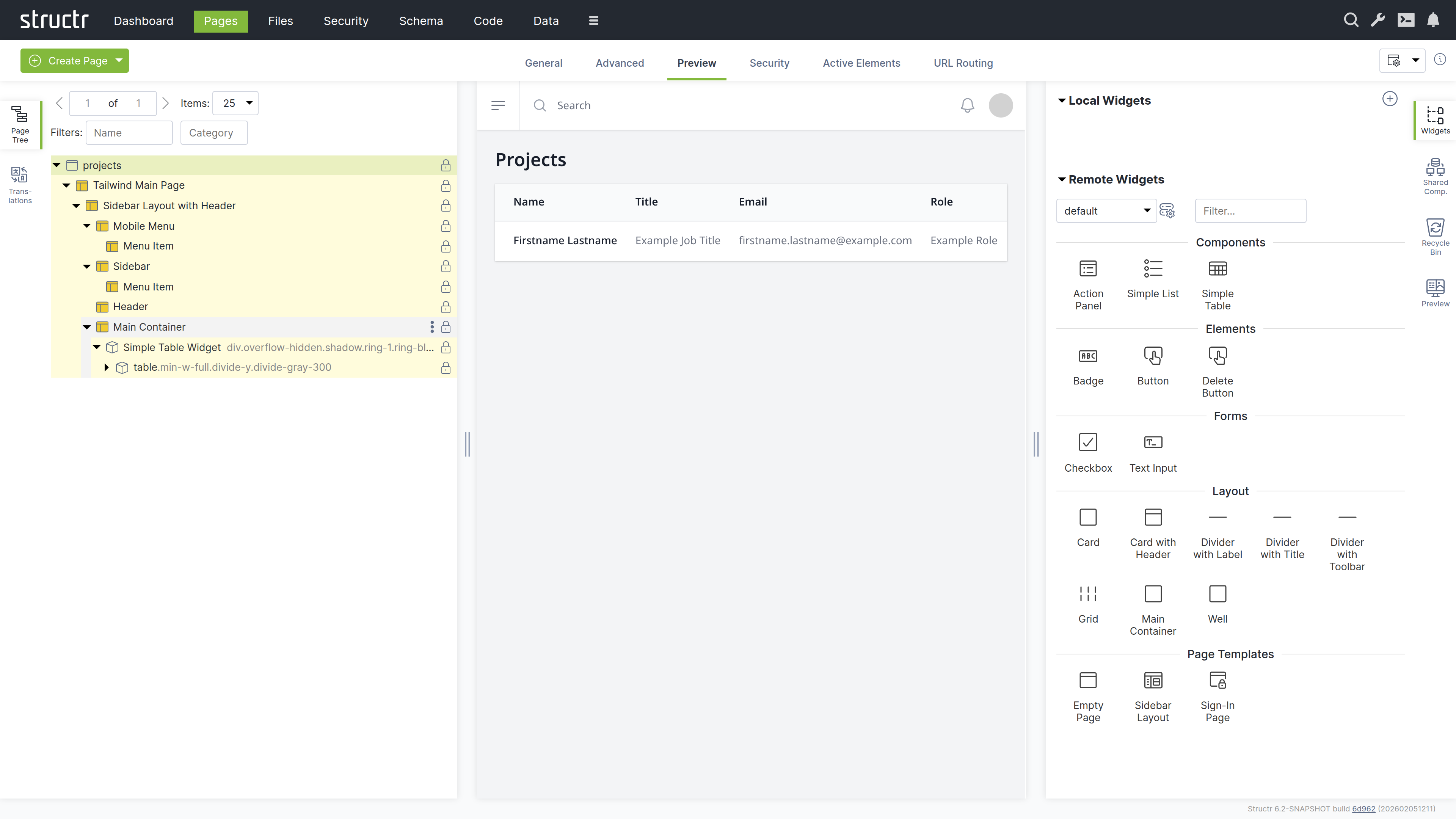
A Structr application’s user interface consists of one or more HTML pages. Each page is rendered by the page rendering engine and served at a specific URL. The Pages area provides a visual editor for those pages and allows you to configure all aspects of the user interface.
Pages and Elements
Individual pages consist of larger template blocks, nested HTML elements, or a combination of both. You can also use reusable elements called Shared Components and insertable templates known as Widgets to build your interface. Widgets can be assembled into widget libraries with enforced nesting rules, and some Widgets produce data-driven components that render tables, lists, and forms directly from a DataSource.
Read more about Pages & Templates. Read more about Widgets & Components.
CSS, Javascript, Images
Static resources like CSS files, JavaScript files, images and videos are stored in the integrated filesystem in the Files area and can be accessed directly via their full path, allowing you to reference them in your pages using standard HTML tags or CSS. Please note that the visibility restrictions also apply to files and folders.
Read more about the Filesystem.
Navigation and Error Handling
Pages in Structr are accessible at URLs that match their names. For example, a page named “index” is available at /index.
Error Page
When a user navigates to a non-existent page, Structr returns a 404 Not Found error by default. To provide a custom error page instead, set its showOnErrorCodes attribute to “404” and Structr will display this page for any 404 errors.
Start Page
When users navigate to the root URL (/), Structr displays the visible page with the lowest value in its position attribute, which you can set on the General tab of the page. If a page has a URL route for /, that route takes precedence over the position lookup. Note that the start page must be visible to public users, otherwise they will receive a 404 error instead of seeing your start page.
Read more about Navigation & Routing.
Dynamic Content
All content is rendered on the server and sent to the client as HTML. To create dynamic content based on your data, you can insert values from database objects into pages using template expressions. To display multiple database objects, you use repeaters, which execute a database query and render the element once for each result. For more complex logic, you can embed larger script blocks directly in your page code to perform calculations or manipulate data before rendering
Template Expressions
<h2 title="${project.description}">${project.id}</h2>
Partial Reload
Individual elements can be addressed separately to render their content as HTML, making it easy to reload parts of the page without a complete page reload.
Read more about Dynamic Content.
User Input & Forms
To handle user input in a Structr application, you can configure Event Action Mappings (EAM) that connect DOM events to backend operations. For example, you can configure a click event on a button to create a new Project object. EAM passes values from input fields to the backend, so you can execute business logic with user input, create and update database objects with form data, or trigger custom workflows based on form submissions.
Read more about Event Action Mapping.
Implement Business Logic
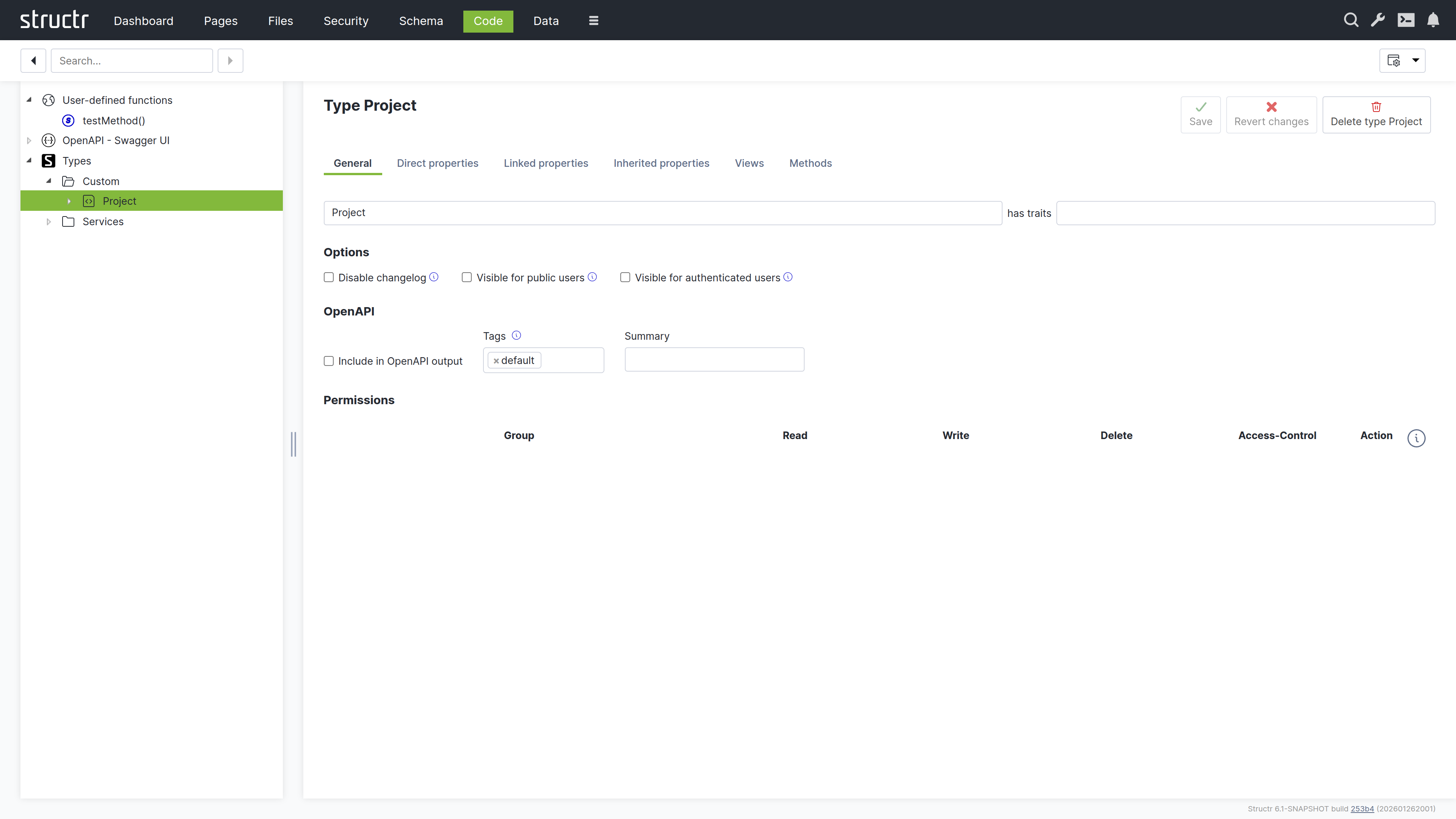
Structr offers a wide range of options for implementing business logic in your application. These include time-controlled processes like scheduled imports, event-driven processes triggered through external interfaces or the application front end, and lifecycle methods that respond to data creation, modification, and deletion in the database.
Methods
You can define methods on your custom types to encapsulate type-specific logic. These methods come in two forms: instance methods and static methods.
Instance Methods
Instance methods work on individual objects of a type and access their data through the this keyword. You can use them to calculate values, generate documents, or perform operations on specific instances. For example, an instance method on a Customer type can calculate the total value of all orders for that particular customer, or a method on an Invoice type can generate a PDF document for that specific invoice.
Static Methods
Static methods operate at the type level rather than on individual instances. They do not have access to this because they are not associated with a specific object. They are used for operations that affect multiple objects, such as finding all customers in a specific region, performing batch operations, or implementing factory patterns that create new instances with specific configurations.
Functions
Structr provides two categories of application-wide functions: built-in functions and user-defined functions.
Built-in Functions
Built-in functions offer ready-to-use functionality for common tasks like sending emails, making HTTP requests, parsing JSON and XML, working with files, and querying the database. These functions are available throughout the platform wherever you write script code.
Read more about Built-in functions.
User-defined Functions
You can also create user-defined functions for custom application-wide logic. These functions can be called from anywhere in your application and can be scheduled for automatic execution using the cron service, useful for maintenance tasks, periodic imports, or automated reports. For scheduling, Structr uses an extended cron syntax that supports second-precision scheduling, allowing for more granular control than standard cron expressions.
Lifecycle Methods
Lifecycle methods are optional instance methods that execute automatically in response to specific database events such as object creation, modification, or deletion. They must be added explicitly to a type in order to be executed. You can use them to validate data before it is saved, update related objects when changes occur, send notifications when specific conditions are met, or trigger workflows based on data changes.
Lifecycle methods have access to the object being modified through the this keyword, making them suitable for enforcing business rules and maintaining data consistency.
Read more about Business Logic.
Integrate With Other Systems
Structr provides integration options for external systems, including built-in authentication interfaces that you can configure. For other integrations, you can write custom business logic and interface code to connect to APIs, databases, message brokers, or other services based on your requirements.
OAuth
Structr supports OAuth 2.0 for user authentication, enabling integration with external identity providers such as Microsoft Entra ID, Google, Auth0, and other OAuth-compliant services. This allows users to authenticate using their existing organizational or social media credentials instead of maintaining separate login credentials for Structr.
Emails & SMTP
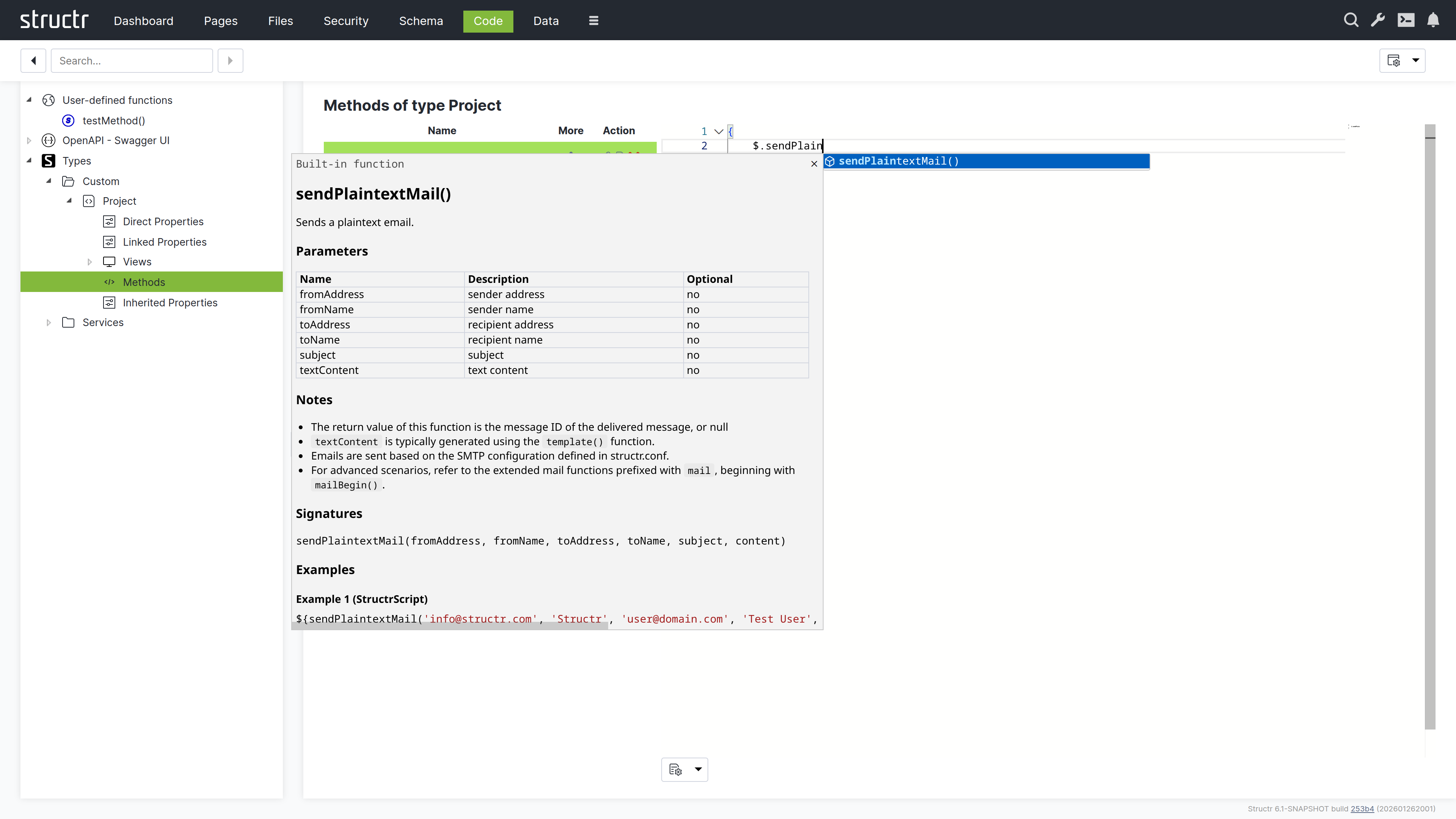
Structr allows you to send plain text or HTML emails with attachments from any business logic method. You can also retrieve emails from IMAP mailboxes and trigger automated responses to incoming messages through lifecycle methods or custom workflows.
Example
{
    let fromAddress = 'info@example.com';
    let fromName    = 'Example Sender';
    let toAddress   = 'recipient@example.com';
    let toName      = 'Example Recipient';
    let subject     = 'Hello world.';
    let content     = 'Example plaintext content';

    $.sendPlaintextMail(fromAddress, fromName, toAddress, toName, subject, content);
}
Read more about Emails & SMTP.
REST Interface
The REST interface allows you to exchange data with external systems and expose business logic methods as REST endpoints. Methods accept arbitrary JSON input and return structured JSON output, making it easy to build custom APIs and integrate Structr into existing workflows or architectures.
Views
Views control the JSON representation of types in the REST API. By default, the REST API uses the public view, which you can customize by adding or removing attributes to match your requirements. For advanced use cases, you can create additional custom views and access them via separate URLs.
Example
For example, if you create a summary view for your Article type, you can access it with:
GET /Article/a3f8b2c1d4e5f6a7b8c9d0e1f2a3b4c5/summary
This returns a JSON document with only the attributes defined in that view, e.g. title, author and publishDate.
{
    "result": {
        "title": "Introduction to Structr",
        "author": "Christian Morgner",
        "publishDate": "2025-01-15"
    },
    "query_time": "0.008205901",
    "result_count": 1,
    "page_count": 1,
    "result_count_time": "0.000136110",
    "serialization_time": "0.000554177"
}
Read more about the REST Interface.
Message Brokers
You can connect Structr to MQTT, Kafka, or Apache Pulsar by creating a custom type that extends one of Structr’s built-in client types (MQTTClient, KafkaClient, or PulsarClient) and implementing an onMessage lifecycle method to handle incoming messages.
When configured and activated, the client automatically connects to the message broker and executes your onMessage method whenever a new message arrives on the subscribed topics. This allows you to build event-driven applications that react to external events in real-time, process streaming data, or integrate with IoT devices and microservices architectures.
Read more about Message Brokers.
Other Databases
JDBC
The built-in jdbc() function allows you to execute SQL queries directly against external JDBC-compatible databases. Query results are automatically transformed into objects that can be used in any scripting context. Results can be displayed dynamically in frontend views, used in business logic for calculations and transformations, or imported and stored as Structr objects for further processing.
Example
{
    // get JDBC URL from structr.conf
    let url  = $.config('mysql.connection.string');
    let rows = $.jdbc(url, 'SELECT * from Project');

    for (let row of rows) {

        // handle rows..
    }
}
MongoDB
Similar to jdbc(), the built-in mongodb() function enables direct access to collections in external MongoDB databases.